You have a business. You need to invoice customers. Which format?
HTML
PDF
Customer logs in, views their invoice online
PDF Invoice emailed to customer
Online data (hopefully) secured by you
PDF secured by the customer
Linked resources (images etc) can't change
Invoice is self contained
In ten years time, data is 404
Customer can archive, and PDF lasts forever
Tailored experience for small screens
-
-
Authenticity from digital signatures
Answer: it depends!
HTML is not for print!
Hachette is typesetting around 40% of their books (in the US) using HTML+CSS via Prince.
Two of the top four New York Times Hardcover bestsellers this week were done with CSS.
Dave Cramer, Hachette Book Group, former editor of CSS GCPM specification, email to CSS WG 9 Sep 2013
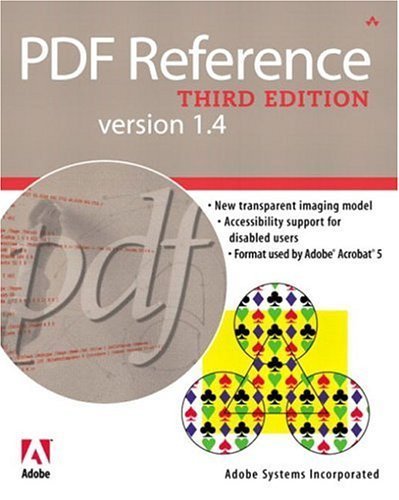
CSS was used to layout this book, published in 2005 - when IE6 ruled the web.
In 2025 only three Layout Engines remain that handle HTML+CSS in the browser: Webkit (by Apple), Blink (by Google) or Gecko (by Mozilla).
For print? Engines by BFO, Prince, PDF Reactor, Antenna House, Vivliostyle, Weasyprint, Typed.sh (that I know of).
Eight independent implementations.
PDF is the end result!
ETSI EN 301 549, the European Accessibility Act
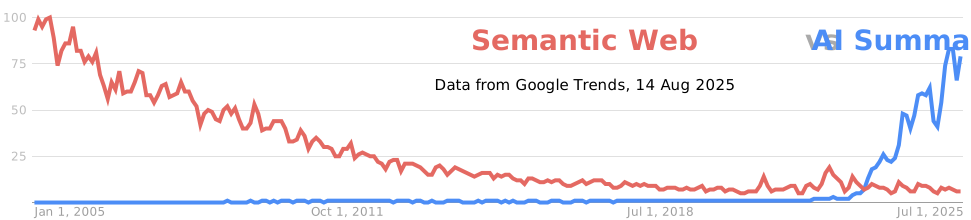
HTML+CSS is the most battle-tested document format in history.
If we are to support reflow in PDF, the most obvious approach is to convert PDF to HTML, in public or in secret.
PDF/UA already takes us half-way.
If you love PDF, the law or sausages, it's best not to see either being made
(probably not) Otto von Bismarck
Color
Color (legacy)
CSS
PDF
HSL, sRGB
DeviceRGB*
-
DeviceCMYK (and subset DeviceGray))
-
ICCBased (also CalRGB, CalGray)
-
Lab
-
DeviceN (also Separation)
* DeviceRGB may not be sRGB; sRGB may not be DeviceRGB
Color (modern?)
CSS
PDF
HWB, HSL, sRGB
DeviceRGB*
device-cmyk
DeviceCMYK (and subset DeviceGray))
display-p3, rec2020, prophoto, xyz, ICC
ICCBased (also CalRGB, CalGray)
Lab
Lab
OkLCH, OkLab, LCH
-
-
DeviceN (also Separation)
New features in css-color-4 as of draft in early 2021
sRGB
display-p3
prophoto
Color (modern)
CSS
PDF
HWB, HSL, sRGB
DeviceRGB*
device-cmyk
DeviceCMYK (and subset DeviceGray))
display-p3, rec2020, prophoto, xyz, ICC
ICCBased (also CalRGB, CalGray)
OkLCH, OkLab, LCH, Lab
Lab
-
DeviceN (also Separation)
LCH, OkLCH and OkLab can always be mapped to Lab...
device-cmyk and ICC postponed to css-color-5 and unimplemented in browsers. Only in CSS print engines
XYZ is a problem in PDF - ICC profiles of input-type XYZ are disallowed. Very unintuitive, will rarely be used
Alternative coordinates: LCH, HSL and HWB
LCH and Lab are different views of the same color-space.
Lab uses cartesian coordinates, LCH uses polar. HWB/HSL
are roughly the same, but for sRGB.
lab(75% 40 30) = lch(75% 50 36deg)
Gradients
Interpolation between colors
Gradients (interpolation color-space)
linear-gradient(in srgb to right, lab(75% -50 -50), lab(75% 50 50))linear-gradient(in lab to right, lab(75% -50 -50), lab(75% 50 50))linear-gradient(in lch increasing hue to right, lab(75% -50 -50), lab(75% 50 50))
New CSS syntax for linear-gradient added in css-images-4, November 2021. Widely implemented
Gradients (interpolation in PDF)
PDF can simulate interpolation in LCH by using Lab, and a sampled function
Interpolation in CSS is linear.Interpolation in PDF is non-linear.
But as both can divide gradient into many small sections*, it's the same thing.
For linear and radial gradients, CSS and PDF are equally capable.
* eg take linear function, sample halfway and measure ΔE(CIE94).
If too far, split and repeat. De Casteljau's algorithm.
CSS Conic Gradients
conic-gradient(in srgb, black, yellow)
CSS has conic gradients, which rotate around a focus point. PDF can reproduce
these accurately using a triangular mesh.
Problem: most PDF viewers incorrectly interpolate triangular meshes in DeviceRGB.
Solution: use smaller triangles, for less interpolation.
PDF Mesh Gradients
PDF has mesh gradients, based on a lattice of triangles or patches.
No equivalent in SVG (a Coons Patch proposal never got beyond draft).
Gouraud triangles can be simulated in SVG, but it's very verbose.
Gradients
SVG and CSS
PDF
linear, repeating-linear
linear
radial, repeating-radial
radial
conic (CSS only)
triangular mesh
expensively simulated in SVG, or bitmap
mesh (triangular, tensor patches, lookup table)
Any CSS (or SVG) gradient can be created in PDF
Any PDF gradient can be created in CSS or SVG, but it might be expensive
CSS repeating gradients can be made non-repeating by duplicating segments
General Graphics
Graphics Primitives
Lines, curves and transformations are universal. Bitmaps too. Easy!
CSS transform-style:preserve-3d has entered the room
CSS transforms anything in 3D; graphics, text, video.
But even in 3D, a transformed line is still a line.
vector graphics can be transformed, point by point
text becomes vectors, with matching invisible glyphs
gradients: linear are unchanged, others are meshed
bitmaps have to be rebuilt, which is expensive
Blending and Compositing
Normal
Multiply
Screen
Color Dodge
Exclusion
Hue
Luminosity
Darken
Plus-Darker
Hard-Light
Soft-Light
Overlay
Color Burn
Difference
Saturation
Color
Lighten
Plus-Lighter
CSS has the same blend modes as PDF, and two
new ones in 2022*
Masking layers can be anything (in PDF), an image (in CSS; SVG image is OK)
CSS blending is only sRGB. PDF is RGB or CMYK (+ overprint and knockout)
CSS artwork by Ben Evans
2.5kB of HTML, 198kB of CSS. No bitmaps. No SVG. www.tinydesign.co.uk
Text and Fonts
Text
HTML specifies Unicode characters (semantics)
PDF specifies glyphs (appearance)
Characters + Shaping = Glyphs. May be complex!
Glyphs + ToUnicode (+ ActualText) = Characters
PDF often requires ToUnicode and sometimes requires ActualText to get semantic values from glyphs.
Layout tables are stripped from fonts. Editing a form field? Replace font. 😢
Fonts
OpenType
PDF
TrueType outlines
TrueType
CFF outlines
CFF
Bitmaps: SBIX and CDBT
Type3
SVG color fonts
Type3
COLR v0 color fonts
Type3
COLR v1 color fonts
Type3... with some effort
WOFF and WOFF2 are just OpenType, PDF's Type1 can convert to CFF
VariableFonts
TrueType or OpenType (CFF).
Not supported in PDF, but it is easy possible to convert a particular variation to a static
version of the same font. The resulting PDF may have many fonts; thats OK.
aaaa
abcabcabcabc
optical sizing in "Fraunces"
If the font is not embedded, we have to choose the variation from its name.
Adobe Technical Note #5902 make this predictable (in theory).
In practice? Just embed the font!
sRGBColor Fonts 😎
Bitmaps - CDBT (Microsoft) and SBIX (Apple)
SVG (from Adobe/Mozilla). One major flaw: not invented at Google
CSS can override individual colors in fonts,
including with non-sRGB colors.
In theory we could have CMYK color fonts!
😀sRGB😀display-p3😀prophoto
Palette entries are only referenced by number. Too awkward to be useful.
Text and Fonts: conclusion
💪 😅 ✅
Every aspect of OpenType 1.9 can be represented in PDF content streams.
To make this look easy, PDF creation tools have to work hard.
Accessibility Forms Metadata
Structure ☞ Accessibility
HTML is tags, so is always structured. Tags are required for layout
so many have no semantic purpose (e.g. twenty-deep nested <div> elements).
PDF tags are not required, and are often left out. Result can be "glyph salad".
Separation of layout and structure means no need to add non-semantic tags.
PDF documents never change. HTML is dynamic, which causes problems.
typical HTML > typical PDFgood PDF ≥ good HTML
Structure ☞ Accessibility
CSS background-image is not accessible.
WCAG says it's designed for decorative purposes.
The internet doesn't care, and CSS is convenient.
But an image on a PDF page must be tagged!
Backgrounds and borders too. If it marks the page, it must be
categorised as real content or an artifact.
It's machine-checkable; no avoiding it.
Metadata
HTML can contain graphs of [subject, predicate, object] triples as RDFa, Microdata or JSON+LD.
These can (theoretically) represent anything.
PDF has XMP: like RDF/XML but can only represent a tree not a graph.
The subject is the PDF object the XMP is attached to.
A PDF file can have multiple XMP objects, but they're all isolated.
PDF metadata is unable to represent every concept in HTML metadata.
Metadata
Does it matter? Maybe not. Metadata is rarely consumed directly by humans so errors (in content or schema) go
unnoticed. Errors are very common.
Forms
HTML
PDF
Dynamic Elements
<input type="text | search | password | ...">
Text ("Tx")
<textarea>
Text ("Tx")
<select>, <input type="text" list="...">
Choice ("Ch")
<input type="date | color | time | file | ...">
-
Static Elements
<button>
Button ("Btn")
<input type="radio">
Button ("Btn")
<input type="checkbox">
Button ("Btn")
-
Signature ("Sig")
Forms (Dynamic Fields)
HTML text fields can only have a single style - they are not "rich" - but they can be styled like document text.
PDF text fields can mix normal, bold and italic, but styling is almost completely done by the viewer.
"Early Layout" of text means fonts are usually ignored when editing, and it's impossible to control line-height,
padding etc.
Dynamic fields are probably the biggest capability gap between HTML and PDF
Forms (Static Fields)
HTML button fields can be styled, although it requires CSS "hacks" for radio-buttons and checkboxes.
PDF button fields can be styled too! Even press and rollover images are defined, although support is very poor.
Digital signatures
A PDF file is a fixed, self-contained thing so it can be digitally signed.
HTML is a dynamic collection of many resources from different sources.
Zip them and sign the zip? It's not the same.
Slides created in HTML and CSS with shwr.me
Converted to PDF/UA with BFO Publisher: publisher.bfo.com
Both HTML and PDF demonstrate the concepts discussed. No bitmaps!


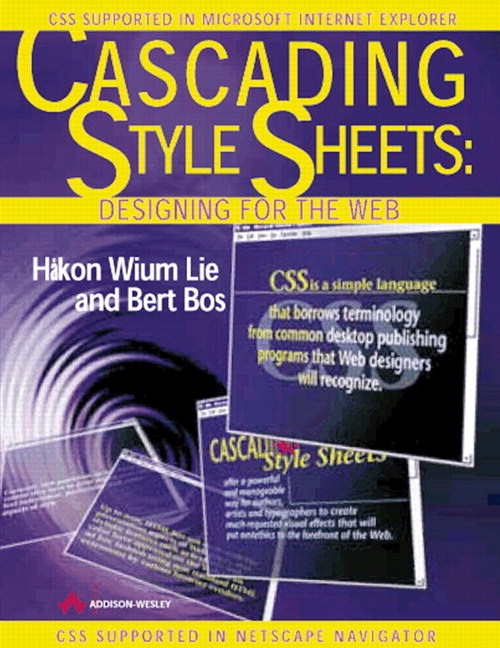 CSS was used to layout this book, published in 2005 - when IE6 ruled the web.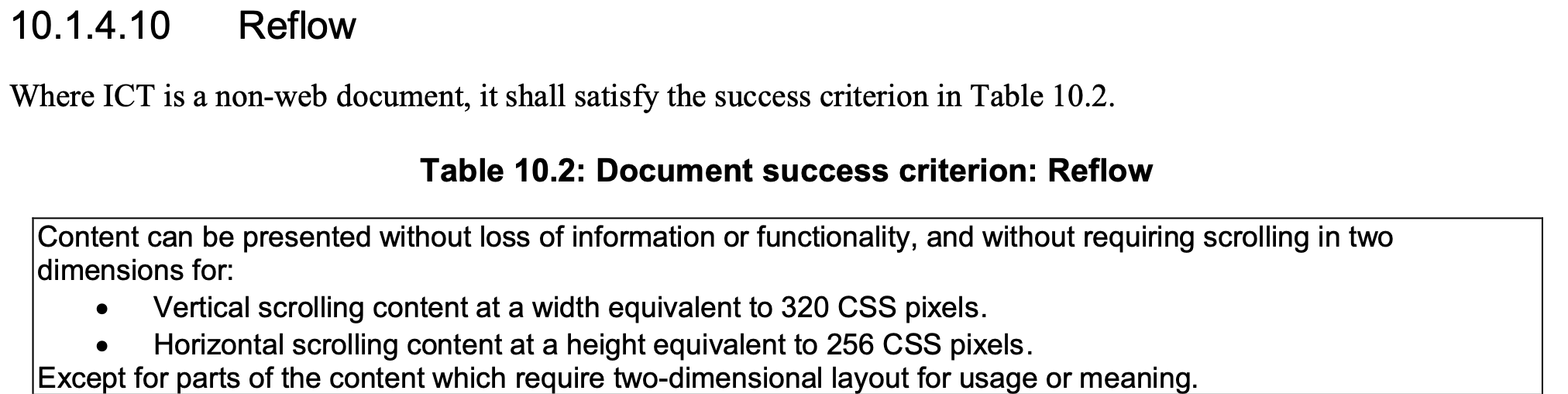
 HTML+CSS is the most battle-tested document format in history.